


A finished clip sometimes carries a badge, a logo, or a line of text burned into the picture. Clearing that mark helps when the file is yours: your own export, your own post, licensed stock, or a clip someone gave you permission to edit. Clearing a badge does not make the video yours.
Choose How Much Of The Frame To Clean
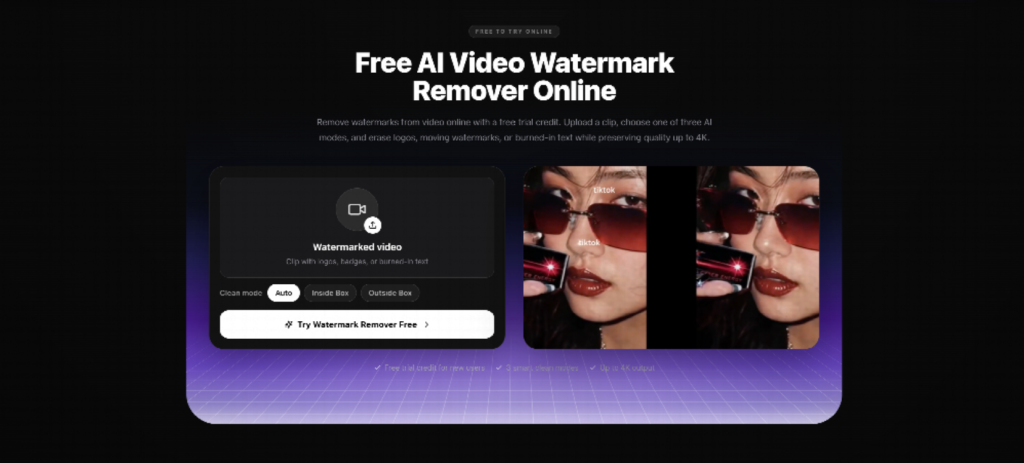
A video watermark remover takes an MP4 or MOV under 300MB. The source can be up to 3840 by 2160, and the export stays at that original resolution, up to 4K. A soft file is not turned into a sharper one. The cleanup rebuilds the covered pixels from the texture, color, and motion around them. It does not blur the spot, and it does not crop the frame.
Auto follows a badge that moves, including one that jumps around the picture. Inside Box cleans one area you select. Outside Box keeps what you draw around, such as a product or a face, and cleans the rest. The result depends on the size of the mark, how fast it moves, and how busy the background is. A longer file has to be trimmed or split first. New users get a trial credit. After that, the page prices the work at 1.8 credits a minute, about $0.29 a minute on the annual plan. The upload sits in a private workspace, is deleted after processing, and is not used for training.
Letters burned into the picture can be treated as an overlay. A job that is only captions belongs to a different tool. Read the frame after the clean. If the patch still shows, that version stays a draft.
Keep The Rest Of The Edit Where You Can Change It
Topview is the workspace around the rest of the job. You describe the idea, paste a line, add a reference for the pace, or point at a page that already states the fact. The shots stay editable. The plan and the credits are on the site before you generate. You still publish the file yourself. A generated face belongs to the draft. A real person appears only in a photograph they agreed to.